Fork/Clone the storytelling template
In this workshop we’re going to duplicate the storytelling template created by Digital Democracy to your own GitHub account, then make some edits together. Can tinker and reuse this template anytime on your own account.
1 Go to Digital Democracy Interactive Storytelling with Maplibre repository
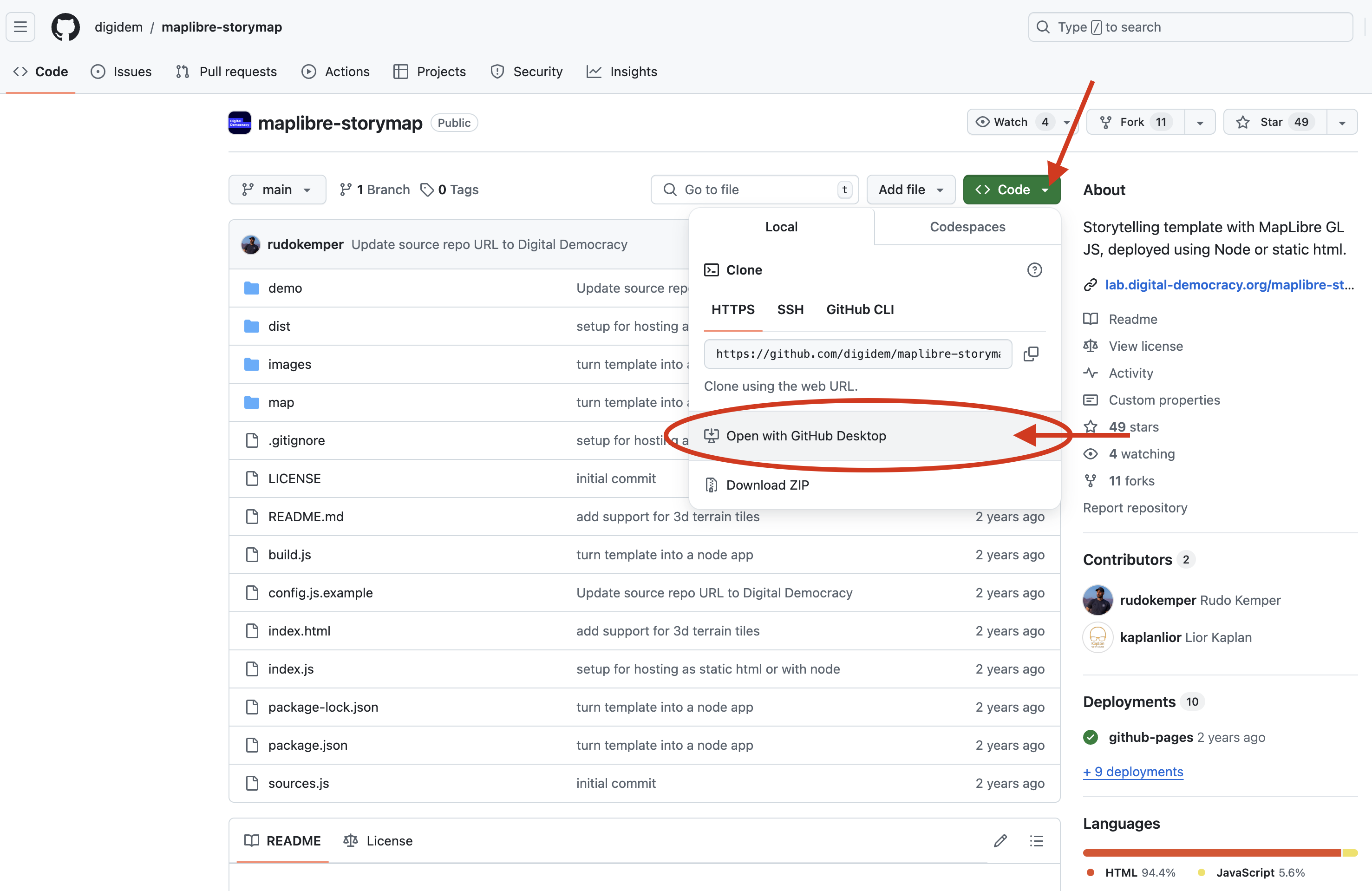
2 Click on the option to open the repository in GitHub Desktop
Under the Code button, you will see an option to Open with GitHub Desktop.
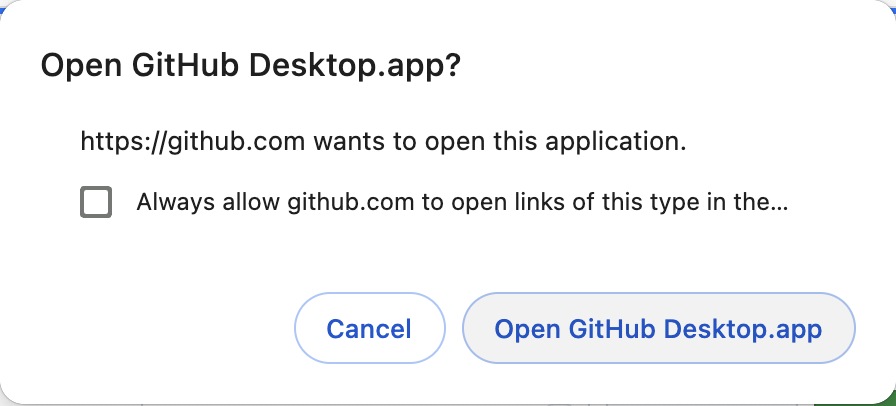
Confirm that you want to open it by clicking on Open GitHub Desktop.app in the message that pops up.
Alternatively, if you are using GitHub on the web, simply fork the repository to your account and continue from there.
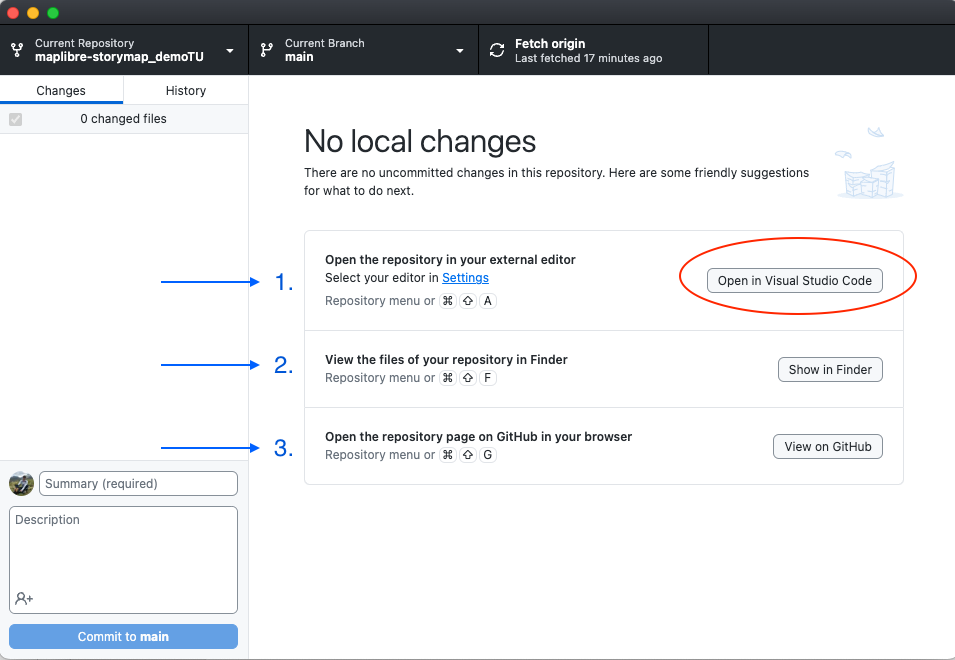
GitHub Desktop should open in your computer and you should see a window with the infromation of the forked repository, including a panel listing the changes (it will be empty since this is the first time you open it) and three options to start working on your reposity:
If you have Visual Study Code installed, you should see the text Open in Visual Studio Code in the action button. If you don’t have it but you have a different editor (like RStudio, XCode or Atom), then you should see that option. If you need to set Visual Studio Code as the default editor for your GitHub Desktop, then follo the instructions here.
-
Open the repository in your external editor.
-
View the files of your repository in Finder.
-
Open the repository page on GitHub in your browser.